Generate The Json File In Google Cloud
Appodeal SDK allows you to get crash statistics directly from Google Play Console in Appodeal Dashboard.
Integration Steps
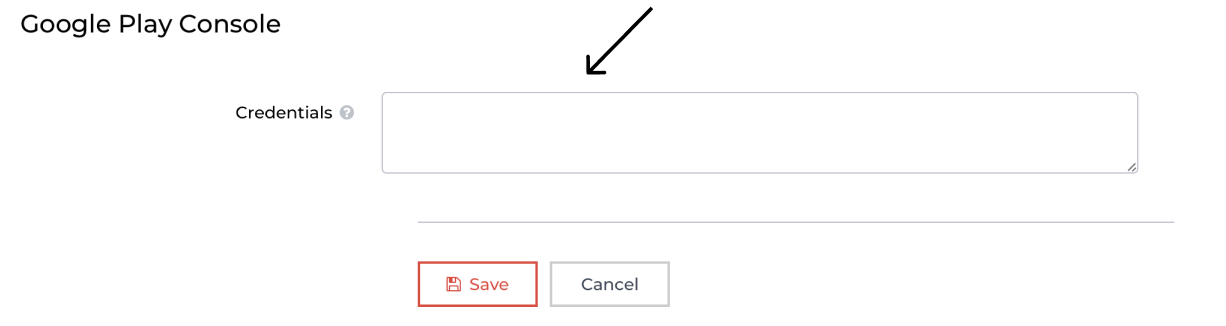
To get these statistics, you need to generate a credentials.json file using the steps below and insert it in your App settings → General in Appodeal account.
-
Login to Google Cloud with your credentials.
-
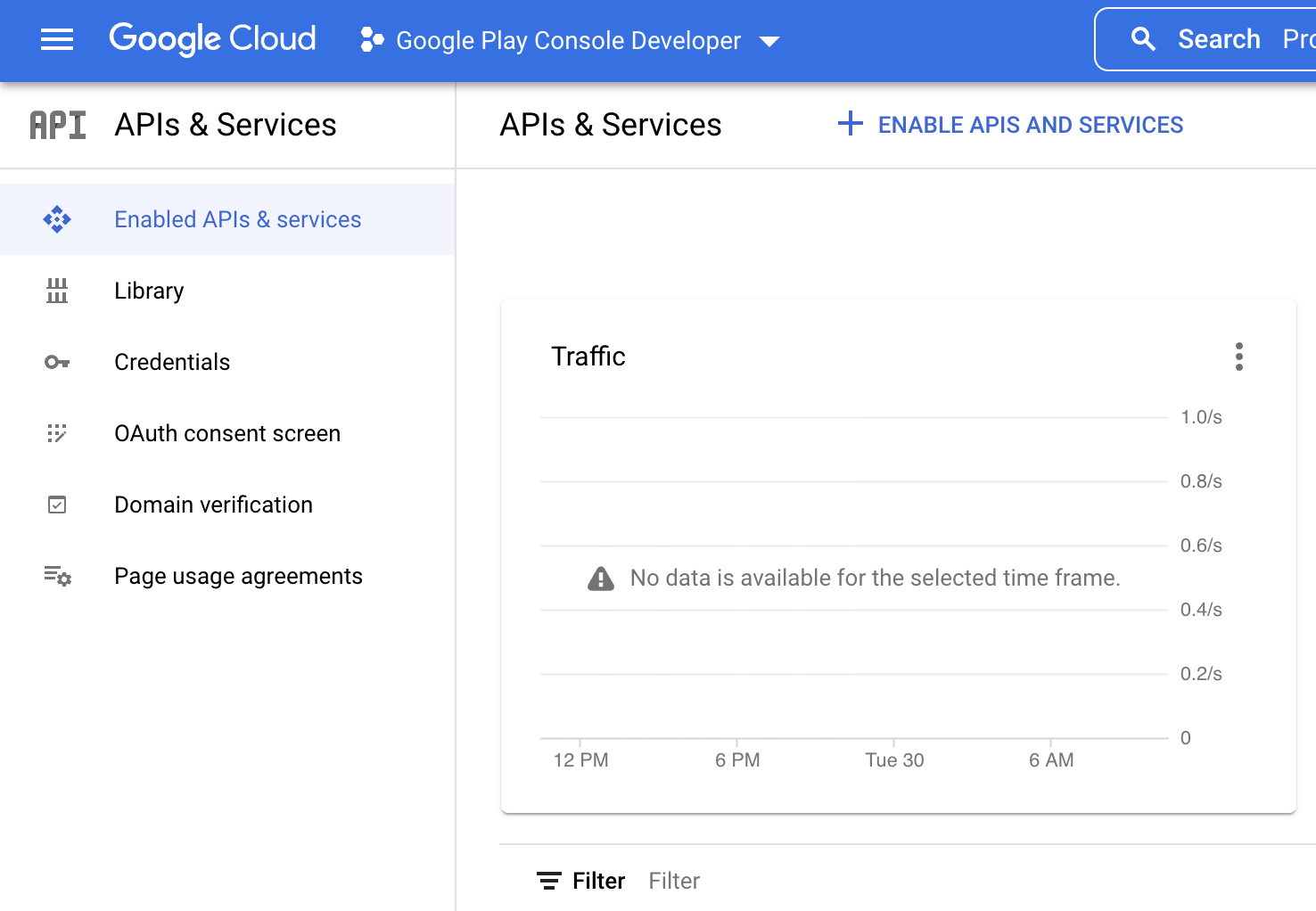
Select Google Play Console Developer project on the top left corner, as shown below.
Please make sure to select Google Play Console Developer project at this step instead of your exact app project.
-
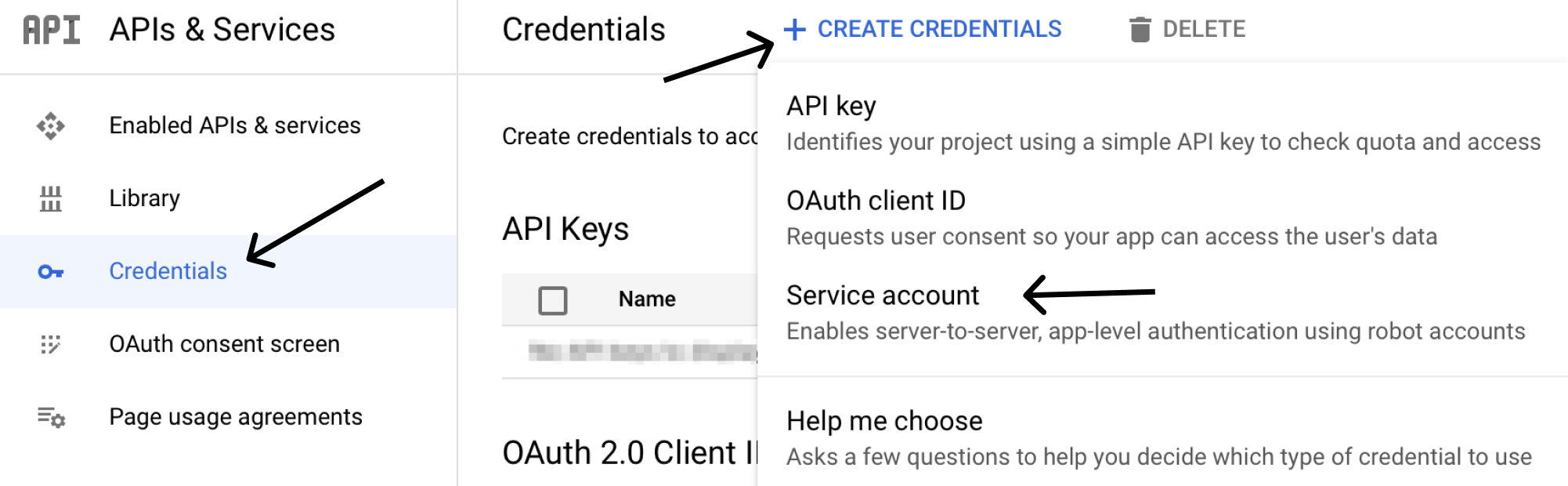
Select **Credentials → Create Credentials → ** select Service Account.
-
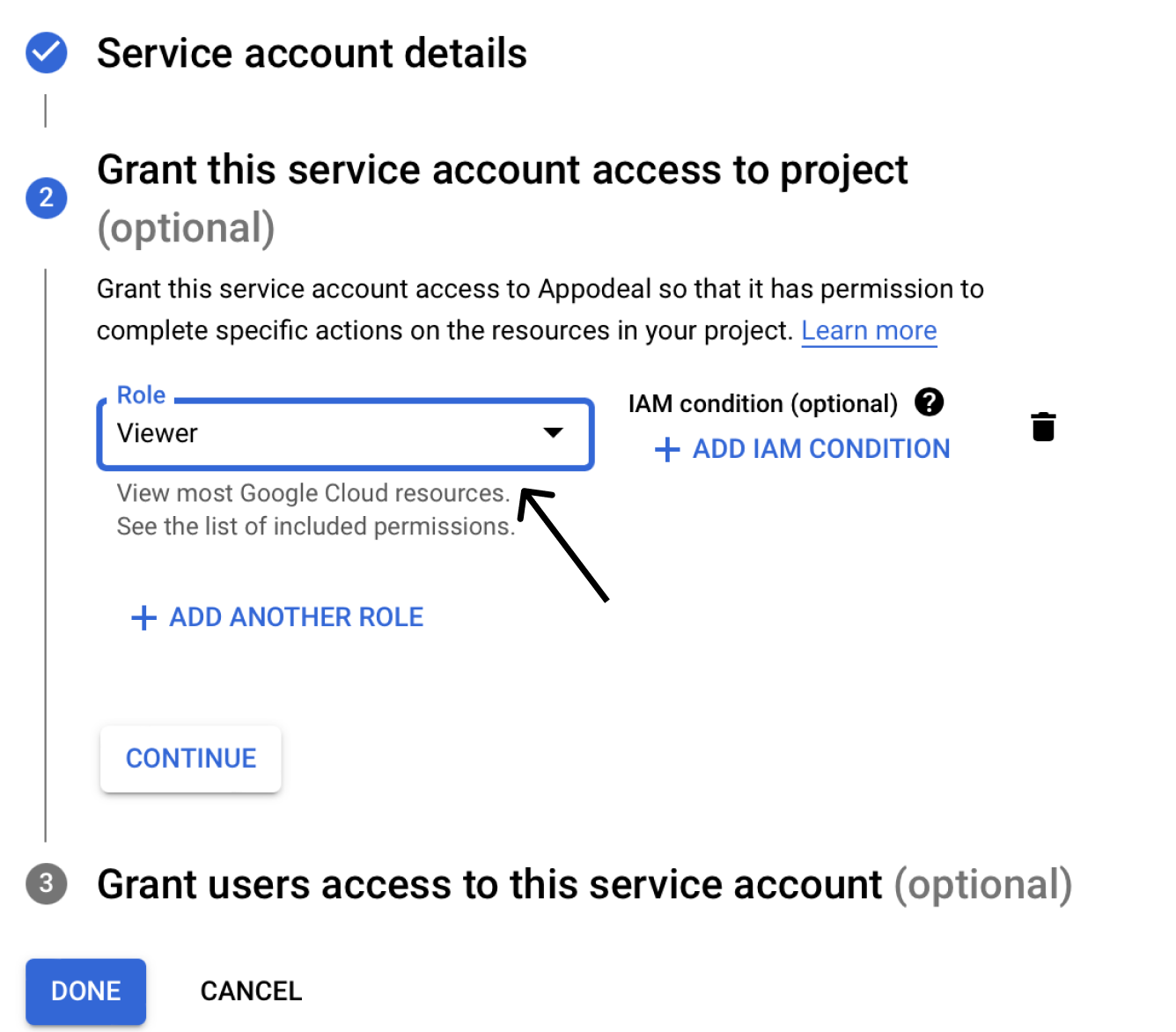
Select Viewer as a role for Service Account and press Done.
-
Go to your service account and press keys → Add key → choose JSON → and save the JSON file.
-
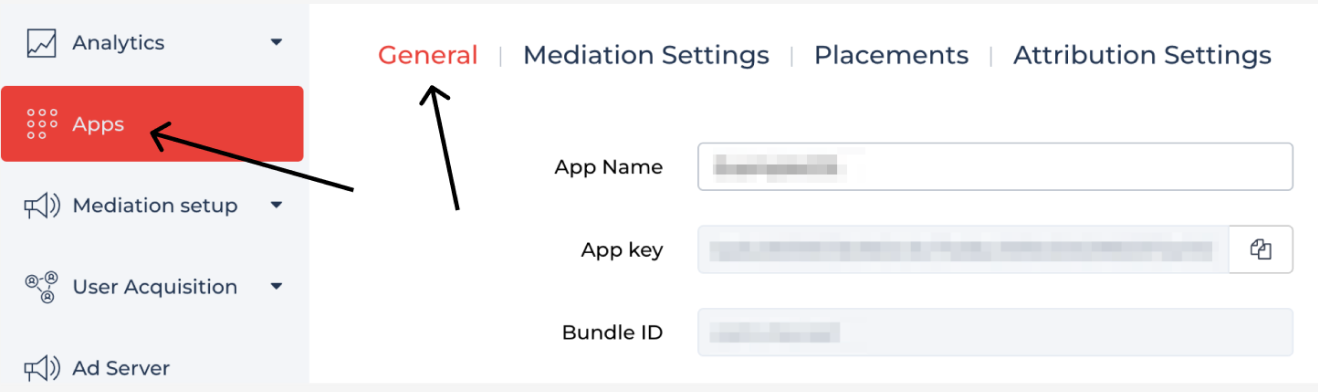
Log in to your Appodeal account and insert the JSON file in your App settings → General.
-
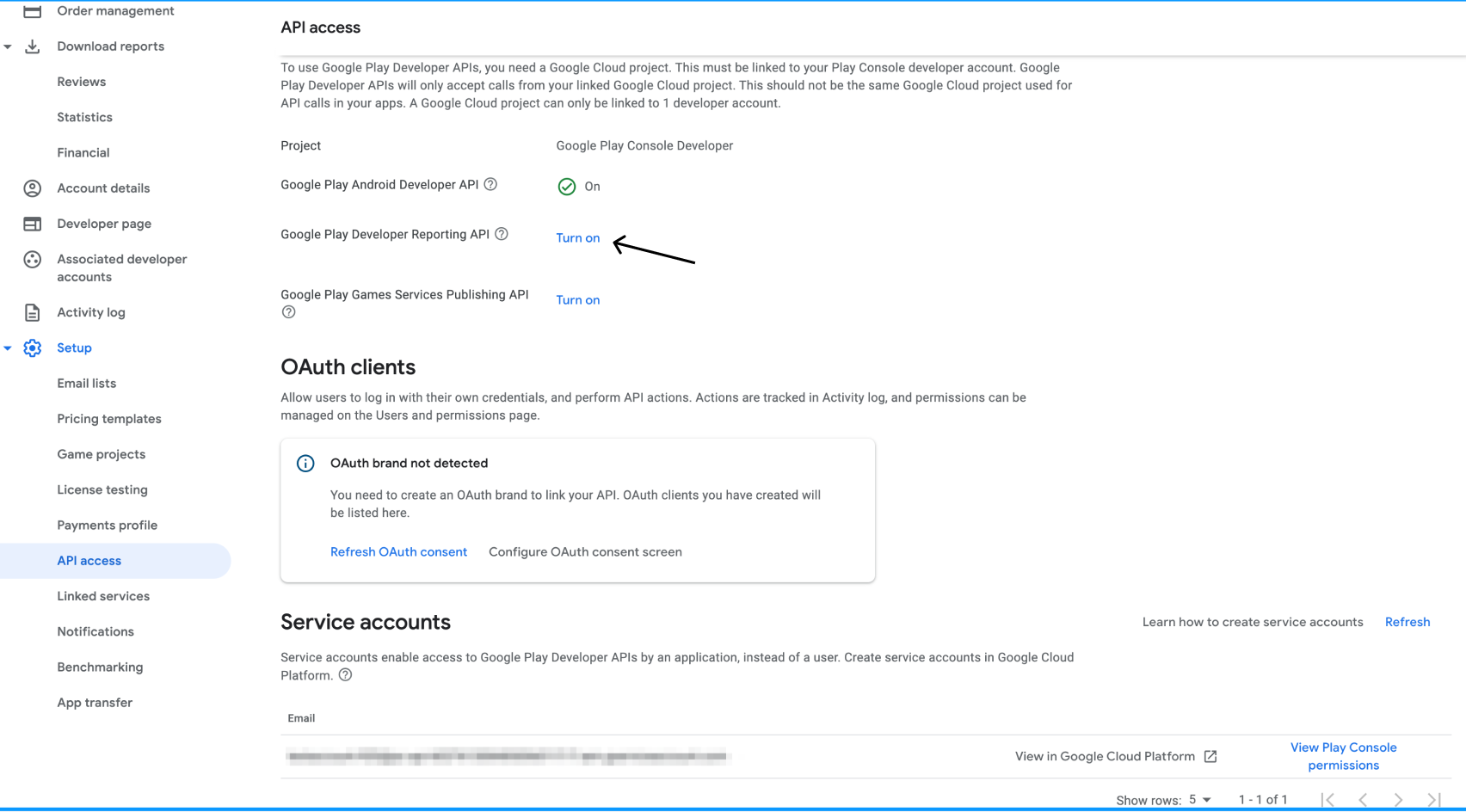
Go to the API access page on the Google Play Console and turn on Google Play Developer Reporting API.