Update App-ads.txt file
Be sure to set up app-ads.txt to help bidders and advertisers identify whether or not ad inventory is being sold by authorized sellers.
-
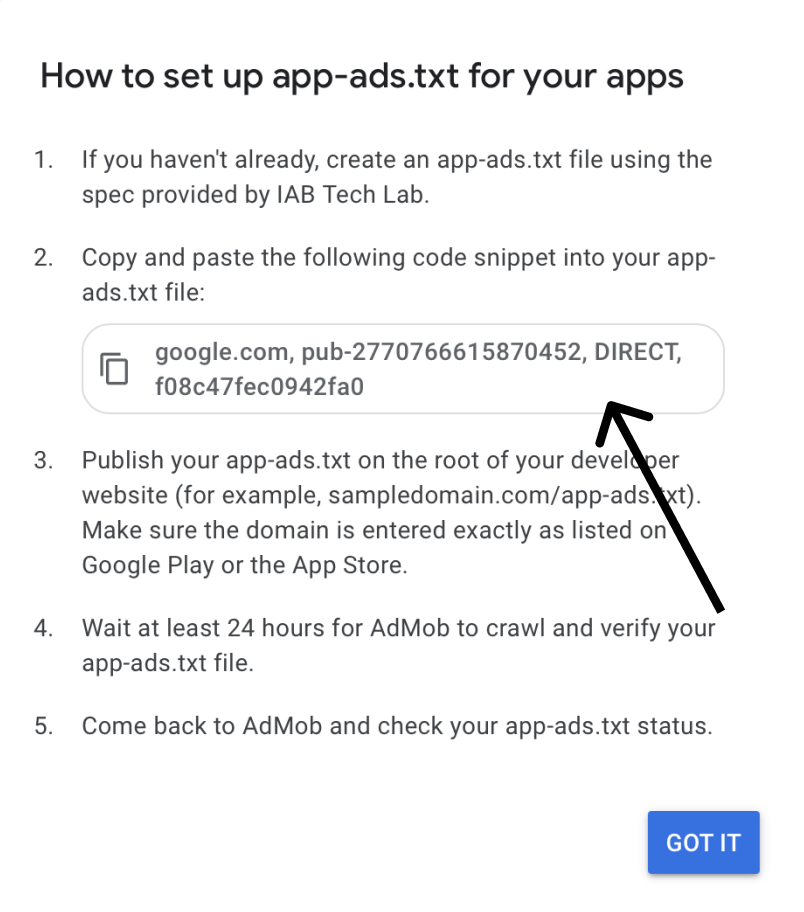
After copying App-ads.txt from this page, you need to replace the existing line under the comment "#Replace the Publisher ID below with your AdMob Publisher ID" with your unique AdMob app-ads string or simply replace the Publisher ID with yours from the top right corner(press your account icon).
-
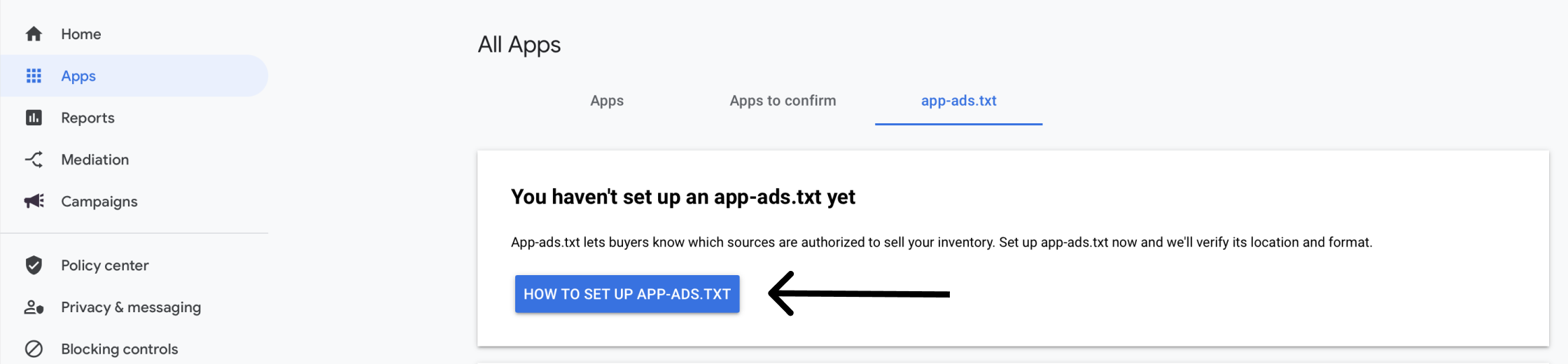
To get AdMob app-ads string, open your AdMob account -> View all apps -> Click App-ads.txt at the top part of the page and click the blue button "How to set up app-ads.txt" , then copy the AdMob string and paste it instead of the mentioned above string in the generated by Appodeal file.
-
Save changes and wait at least 24 hours for ad networks to crawl and verify your app-ads.txt file. Make sure you have added the app-ads.txt file to the correct path as written in this guide.

Now you can monetize through Appodeal.